iPhone App — Available on the App Store

The tax log for
small landlords.

Log rent and expenses on your iPhone as they happen. At tax time, export a Schedule E–ready summary — no spreadsheet, no shoebox of receipts.

Download on the App Store

Free to download. No account required. No subscription.
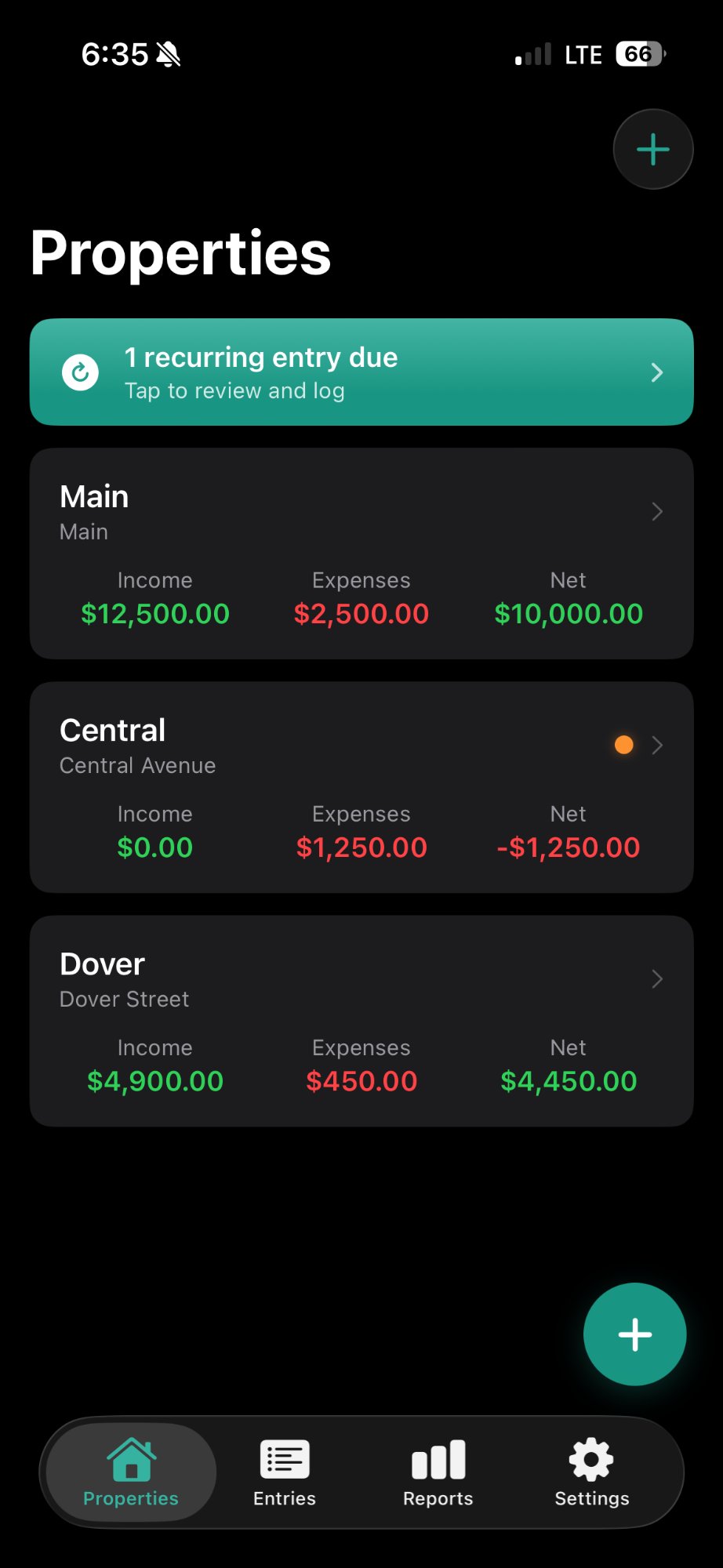
Rental Log Properties Screen
1–4
Properties supported
Schedule E
Aligned expense categories
Free
To log — forever
Local-first
Your data stays on your iPhone
Features

Built for the landlord, not the accountant.

Rental Log does one thing well: keeps a clean financial log of your rental properties so you're ready when tax season arrives.

🏠

Property Setup

Add up to four properties with an address, nickname, monthly rent, tenant name, and lease start date. Everything in one place from day one.

💵

Rent Logging

Record full and partial rent payments in seconds. Monthly income totals update automatically so you always know where you stand.

🧾

Expense Logging

Log expenses using real Schedule E categories — Mortgage Interest, Repairs, Insurance, Utilities, and more. No guessing at tax time.

📸

Receipt Photos

Snap a photo of any receipt and attach it directly to an expense entry. Stored locally on your device — no cloud upload required.

🔁

Recurring Entries

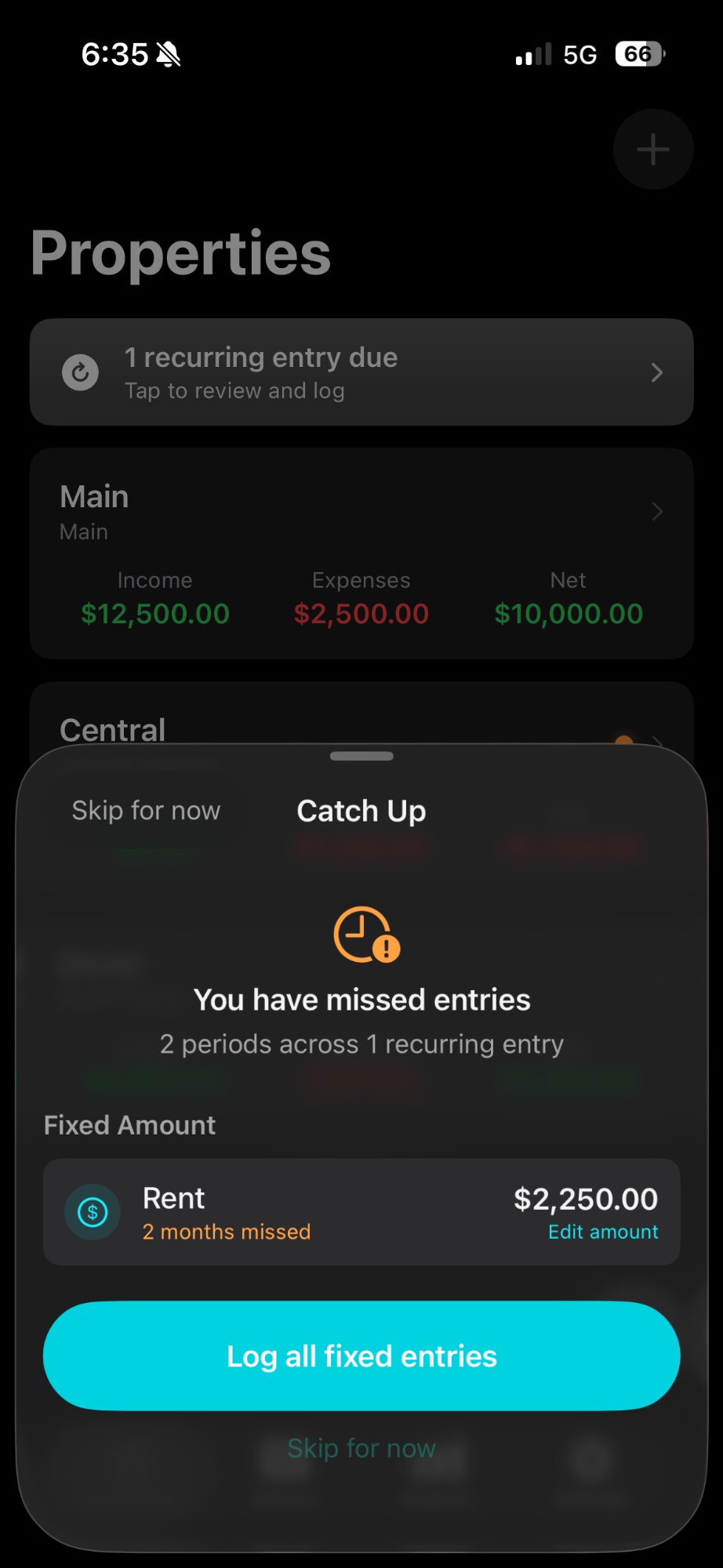
Set up recurring rent and fixed expenses once. The app tracks what's due and prompts you to catch up if you've missed any periods.

📄

Annual PDF Export

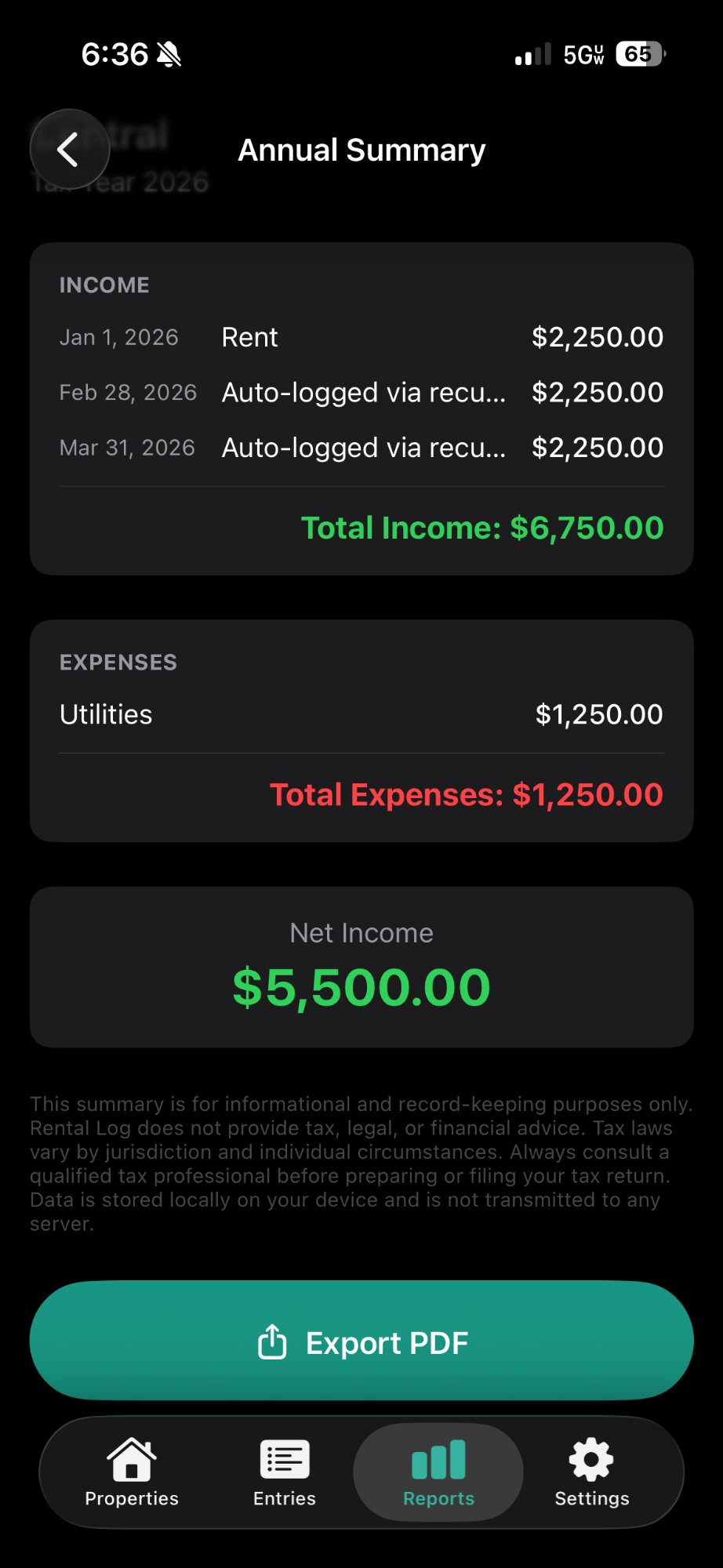
At year end, generate a Schedule E–aligned annual summary and export it as a PDF via the share sheet. Hand it straight to your accountant.

📊

Monthly Summaries

Review income, expenses, and net by property for any month. Free to view — always. Export to CSV when you need a deeper look.

🔒

No Account Required

No sign-up, no server, no subscription. Your data lives on your iPhone with optional iCloud backup. That's it.

App Screenshots

Exactly what you see on your iPhone.

Dark, clean, and focused. Every screen is designed to get you in and out in seconds.

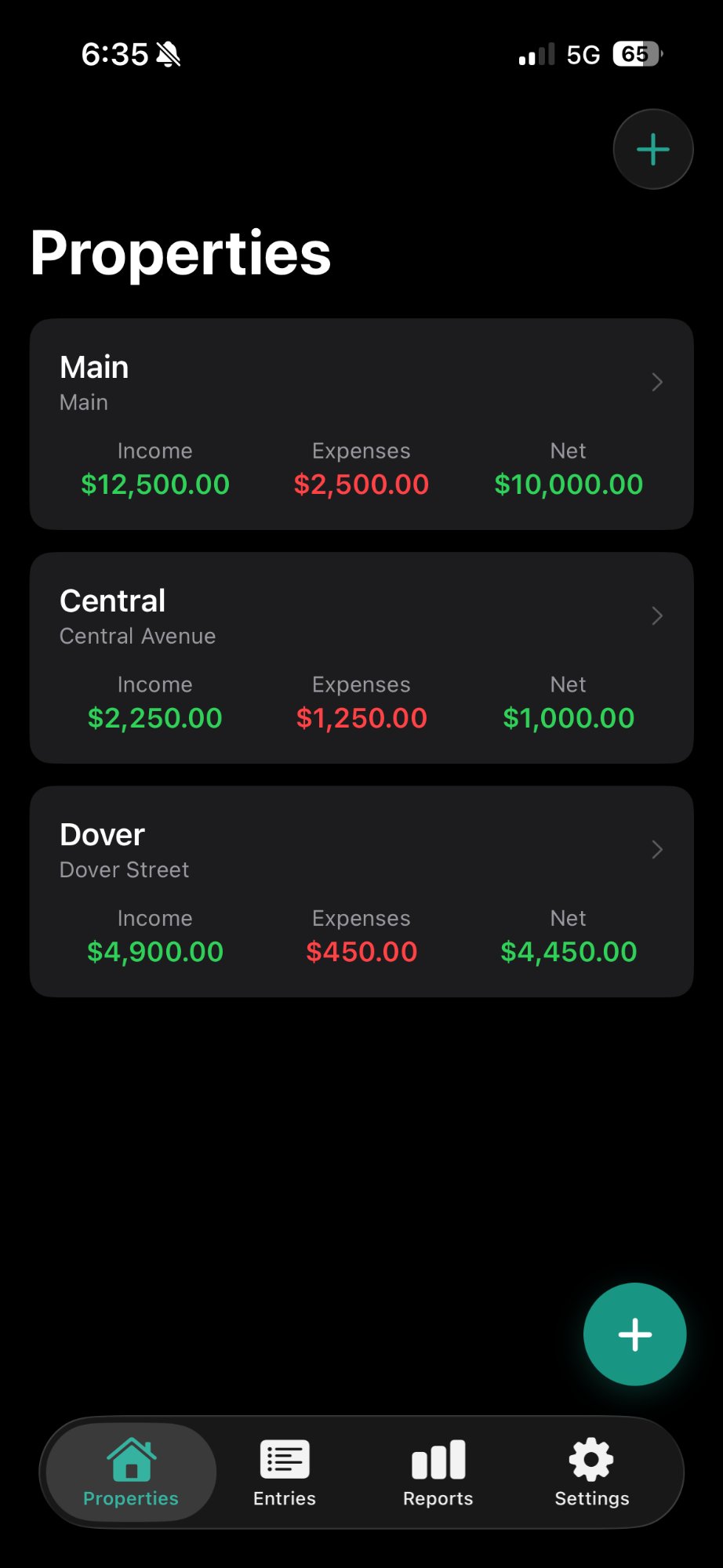
Properties screen
Properties
Recurring entries catch-up
Catch Up Prompt
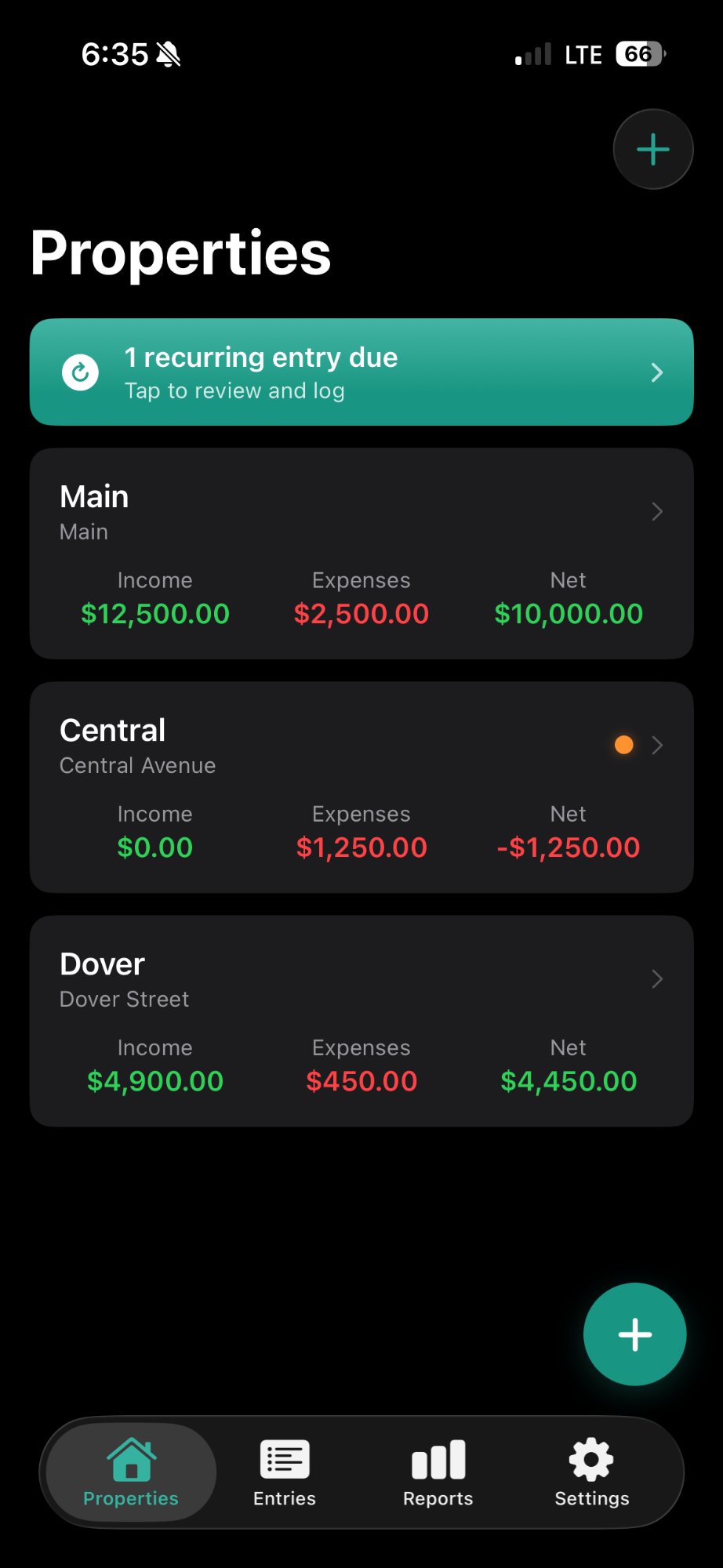
Properties with alert badge
Entry Alerts
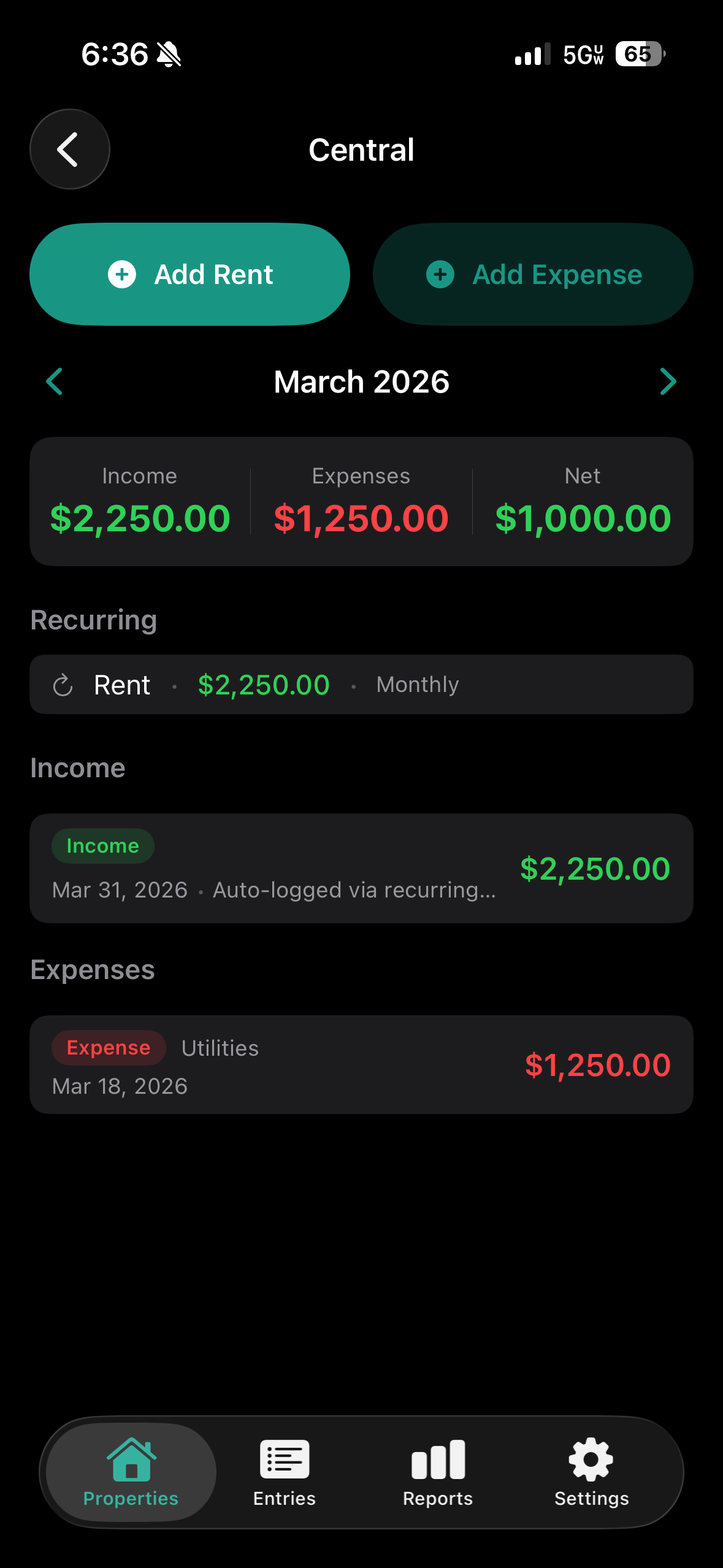
Property detail monthly view
Monthly Detail
Annual summary export
Annual Summary
How It Works

Set up once. Log as you go.

No onboarding flow, no tutorial to sit through. Add your first property and you'll know exactly what to do.

01

Add Your Property

Enter an address, nickname, monthly rent, tenant name, and lease start date. Takes about 60 seconds.

02

Log Rent & Expenses

Tap Add Rent or Add Expense from the property screen. Pick a Schedule E category, enter an amount, attach a receipt photo if you have one.

03

Let Recurring Entries Work

Set up rent and fixed costs as recurring. The app keeps track and reminds you to log anything you've missed.

04

Export at Tax Time

Open Reports, select a property and year, and tap Export PDF. A clean Schedule E–aligned summary goes straight to your share sheet.

Tax season sorted.
Starting now.

Download Rental Log free. Log your first property in under a minute. Be ready for Schedule E before you know it.

Download on the App Store